
Lift push buttons and COP/LOP panels: types, typical failures and how to specify a replacement
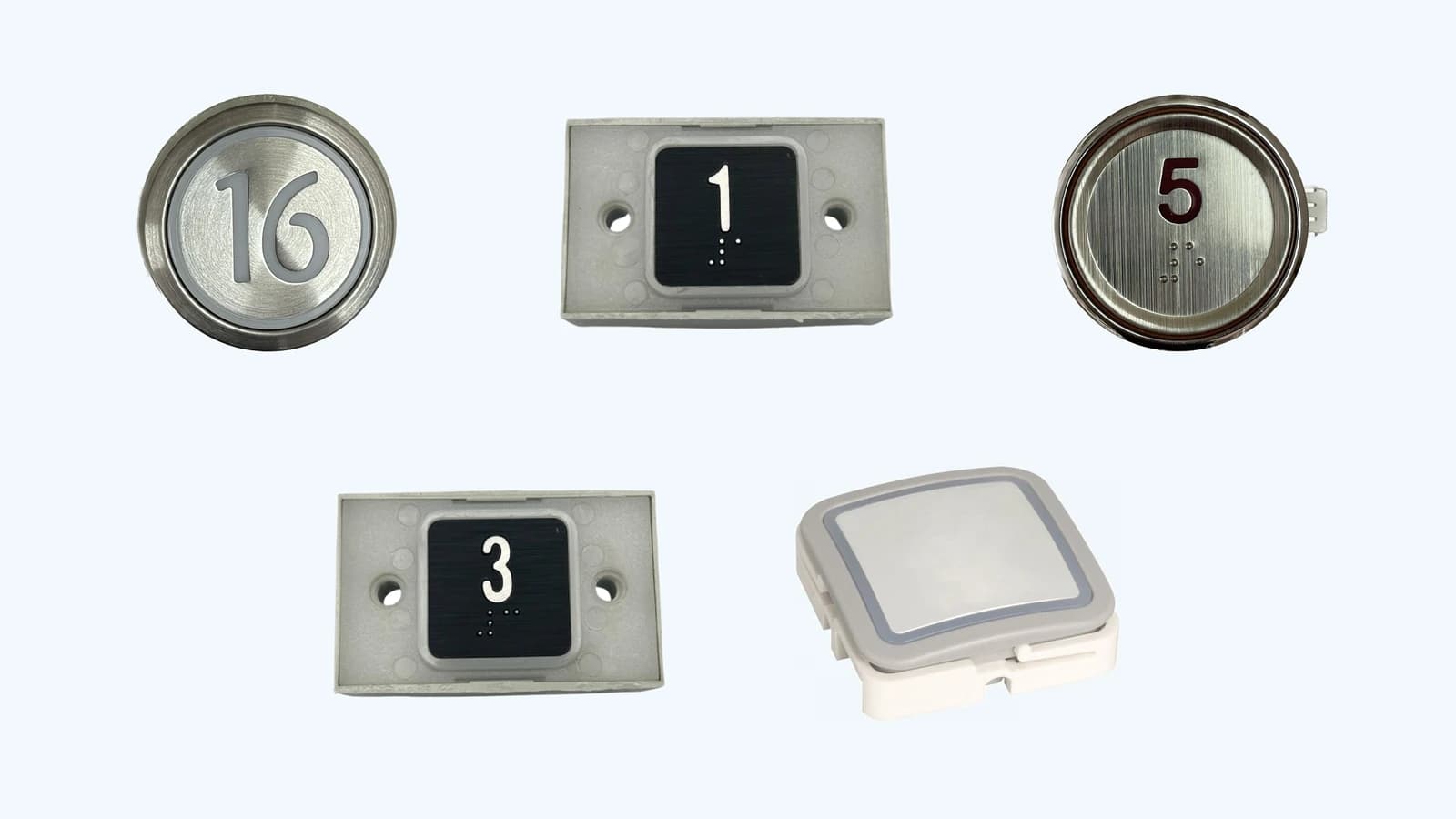
Push buttons and operating panels are the part of the lift that every passenger touches. The car operating panel (COP) inside the car and the landing operating panel (LOP) at each floor register calls and show the status of the lift. This guide explains what they do, which types exist, what typically fails, and how to specify a replacement for delivery across the Baltics, Scandinavia and Finland.
What COP and LOP panels do, and the main types
- Car operating panel (COP) — floor buttons, door open and close buttons, an alarm button and displays inside the car.
- Landing operating panel (LOP) — call buttons and floor or direction indicators at each landing.
- Each press is sent to the control board (see our guide on control boards), which registers the call and confirms it with a light.
The main types are:
- Mechanical push buttons — a moving button with a contact; the most common solution.
- Touch and touchless buttons — no moving parts; touchless versions react to a hand near the surface.
- Braille and raised marking — numerals and symbols that can be felt with the fingers.
- Voice and audible signals — announce the floor or confirm a call.
Typical failures and accessibility (EN 81-70)
The standard EN 81-70 sets minimum requirements for the safe and independent access and use of lifts by persons, including persons with disabilities. That is why the layout, marking and signals of a panel matter when you replace it: check the requirements that apply to your lift before changing the layout.
Typical failures:
- A button does not register a call, or registers one without being pressed.
- The illumination (LED or lamp) has failed, so the passenger cannot see that the call was accepted.
- Worn, dirty or oxidised contacts; the button sticks or feels uneven.
- Moisture or cleaning liquid has reached the electronics.
- A cracked, scratched or vandalised faceplate, worn-off numerals or loose buttons.
- Loose or damaged connectors and wiring behind the panel.
How to specify a replacement
To match a replacement correctly, have ready:
- Type and markings — the part number or markings on the button or panel, and a photo from the front and the back.
- Electrical data — operating voltage (AC or DC) and connection: individual wires or a serial/bus connection to the controller.
- Mechanical data — button size and fixing method, panel or faceplate dimensions and cut-outs, number of floors and buttons.
- Faceplate and marking — material (for example stainless steel or plastic), finish, floor labels, braille or raised marking.
With the photos and the lift data we can identify the correct replacement — or offer a technically equivalent alternative when the original is no longer produced.
What we offer
NordElev supplies and delivers lift push buttons, operating panels and related components to Estonia, Latvia, Lithuania, Finland, Sweden, Norway and Denmark. We help you identify the right part and ship it quickly.
We supply parts for lift companies and technicians to fit. We do not provide on-site repair or emergency callout.
Need push buttons or a panel?
Send us the markings, photos and lift data — we will reply with the matching part and its price.